Etisalat Recharge Number: Every Method Explained (USSD, App, Online & Abroad)
Etisalat — now officially rebranded as e& (pronounced “e and”) — remains one of the UAE’s dominant telecom providers, serving millions of prepaid and postpaid subscribers across the country. If you have ever found yourself staring at a low balance warning or trying to top up a family member’s number from overseas, you already know that the recharge process is not always as obvious as it should be.
This guide covers every legitimate method to recharge an Etisalat number, whether you are standing in Dubai with full internet access or sitting in London trying to top up your mother’s prepaid SIM back home. You will find a complete USSD code reference, a step-by-step walkthrough of every method, a comparison table to pick the fastest option for your situation, troubleshooting for when things go wrong, and a full FAQ section at the end.
One important note before we begin: if you search for “Etisalat” and land on pages branded as “e&,” do not be confused. The company rebranded in 2022, but the services, USSD codes, and recharge systems remain the same. Both names refer to the same operator.
What Is an Etisalat Recharge Number and Why Does It Matter?
When people search for the “Etisalat recharge number,” they are typically looking for one of two things: the USSD code used to add credit to their prepaid account, or the customer service number to call for recharge assistance. This guide addresses both, along with every other method available.
For prepaid customers, the recharge number is the mechanism that keeps your SIM alive. Without sufficient balance, you lose access to calls, SMS, and mobile data. For postpaid customers, recharge usually means bill payment, though many postpaid users also carry prepaid lines for specific uses.
The key USSD numbers and service numbers to know upfront are:
The main recharge USSD code is *120*PIN# — this works without internet and is the fastest offline method. The balance check code is *121# for prepaid. Customer service is reachable at 101 from any Etisalat number inside the UAE, at 800 101 from any phone within the UAE, and at +971 800 101 from abroad.
Complete USSD Code Reference Table
Before diving into each method, here is the full set of codes every Etisalat user should have saved:
*120*PIN# — Recharge your prepaid account using a voucher or e-voucher PIN
*121# — Check your prepaid balance and expiry date
*170# — Check your remaining mobile data balance
*140# — Check postpaid account balance and billing details
*100*MobileNumber*Amount# — Transfer credit from your prepaid account to another Etisalat number
*101# — Access the main self-service USSD menu
*132# — Pay postpaid bills through USSD
101 — Customer service from any Etisalat number in the UAE
800 101 — Customer service from any phone in the UAE
Every one of these codes works without a data connection. That is their biggest advantage — when your balance has run out completely and you cannot connect to the internet, USSD is your lifeline.
Method 1: Recharge Using USSD Code (No Internet Required)
This is the fastest and most reliable method, especially when you do not have internet access. USSD stands for Unstructured Supplementary Service Data, and it works through the voice network rather than mobile data, which means it functions even when your data balance is at zero.
Step 1: Purchase a physical recharge card from any Etisalat store, petrol station, supermarket, or authorised retailer. You can also buy a digital e-voucher online and receive the PIN via SMS or email.
Step 2: Scratch the silver panel on a physical card to reveal your 15-digit PIN. For a digital e-voucher, your PIN is already provided in the SMS or email confirmation.
Step 3: Open your phone’s dialler and type *120* followed by your 15-digit PIN followed by #, then press Call.
For example, if your voucher PIN is 123456789012345, the full code you dial is: *120*123456789012345#
Step 4: Press the call button. The network processes the request in seconds and sends you a confirmation SMS showing your new balance and the amount added.
Important warning: Do not make any typing errors in the PIN. If the system confirms a wrong PIN or if a card has already been used, contact the retailer immediately. Recharges applied to the wrong number cannot be reversed, and used vouchers cannot be refunded.
If you do not have a voucher PIN and still want to use USSD to access recharge options, dial *120# alone and follow the on-screen prompts. The menu will guide you through available recharge amounts and payment options linked to your account.
Method 2: Recharge Using the My Etisalat (e&) App
The official app is called My Etisalat UAE or e& UAE app depending on when it was downloaded. Both refer to the same application, available free on the Apple App Store and Google Play Store.
Step 1: Download and install the app. Open it and sign in using your Etisalat mobile number. You can also log in using UAE PASS if you have that set up.
Step 2: On the home dashboard, tap the Recharge or Top Up button. This is prominently displayed on the main screen.
Step 3: If you have multiple Etisalat numbers linked to your account, select the number you want to recharge. If you are topping up someone else’s number, you can enter it manually here.
Step 4: Choose a recharge amount. The app shows preset amounts starting from AED 3 for daily mini-bundles, with weekly and monthly options going significantly higher.
Step 5: Select your payment method. Options include credit or debit card (Visa/Mastercard), Apple Pay, and saved payment methods from previous transactions.
Step 6: Confirm the payment. You will receive an instant confirmation notification and an SMS showing the updated balance.
The app also allows you to set up Auto-Recharge, which automatically tops up your number when your balance drops below a set threshold. This is particularly useful for people who frequently forget to recharge until their line stops working. To enable it, go to Settings within the app, select Auto-Recharge, choose an amount and a minimum balance trigger, and link your payment card.
Beyond recharging, the app shows real-time data usage, active bundles, bill history, and account validity — making it the most feature-rich option for managing your line. dubai postal code
Method 3: Recharge Online via the Etisalat Quick Pay Portal
If you prefer a browser-based option without logging into an account, Etisalat offers a guest recharge service at etisalat.ae/quickpay. This portal requires no login — just your number and a payment card.
Step 1: Open a browser and visit the official Etisalat Quick Pay page.
Step 2: Enter the Etisalat mobile number you want to recharge in the phone number field.
Step 3: Select or enter the recharge amount.
Step 4: Enter your credit or debit card details and complete the payment.
Step 5: The balance is added instantly and you receive an SMS confirmation.
This method is ideal when you are using someone else’s device, when you do not want to install the app, or when you are recharging a number other than your own.
Method 4: Recharge Someone Else’s Etisalat Number
This is one of the most searched and least-covered topics in competing articles. There are three ways to top up another person’s Etisalat number.
Via the app: Open the My Etisalat app, tap Recharge, and instead of selecting your own number, manually type in the recipient’s number. Complete the payment as normal. The credit arrives on their phone within seconds.
Via the Quick Pay website: The portal at etisalat.ae/quickpay allows you to enter any Etisalat prepaid number, not just your own. Enter their number, choose an amount, and pay.
Via USSD credit transfer: If you want to send credit from your own Etisalat prepaid balance directly to another Etisalat prepaid number, dial: *100*RecipientNumber*Amount#
For example, to send AED 10 to the number 0501234567, dial: *100*0501234567*10#
This is useful when someone is out of credit and cannot access online methods themselves. The amount is deducted from your balance and added to theirs in real time. Note that this is a balance transfer, not a recharge via voucher, so standard airtime rates and minimum transfer amounts apply.
Method 5: Recharging an Etisalat Number from Outside the UAE
This is the most underserved topic in every competing article, yet it represents a major user segment: UAE expats living abroad, family members of UAE residents, and travellers who need to keep a UAE number active while overseas.
Option 1: Use the My Etisalat app from abroad. The app works internationally as long as you have internet access. Log in with your UAE number and credentials, select the number to recharge, and pay with a card. Some users report login issues due to foreign IP blocks — if this happens, try using a VPN set to a UAE server, or use the Quick Pay portal instead, which does not require login.
Option 2: Use third-party top-up platforms. Several international platforms allow you to recharge UAE Etisalat numbers remotely. These include Recharge.com, BOSS Revolution, Ding, MobileRecharge.com, and Paynet.red. The process on all of them is similar: enter the Etisalat UAE number, choose an amount, and pay using an internationally accepted card like Visa, Mastercard, or PayPal. The credit reaches the UAE number within minutes.
Option 3: Call customer service from abroad. You can reach Etisalat support by dialling +971 800 101 from any international number. Staff can assist with recharge processing and account queries. Call centre wait times vary, so have your account details and Emirates ID information ready.
Option 4: Ask someone in the UAE to recharge for you. The simplest option if you have family or friends in the country — they can walk into any Etisalat store with your number and top it up in cash, or use their own app to do a credit transfer to your number.
One critical point for prepaid users abroad: if your number has not been recharged or used for an extended period, Etisalat may suspend or deactivate the SIM. Keep it active by recharging at least once every 90 days, even with a small amount.
Method 6: Recharge via UAE Bank Apps
This is a method barely covered by any competing article, yet most major UAE banks have built mobile top-up functionality directly into their banking apps. This is convenient because millions of UAE residents are already logging into their bank apps daily.
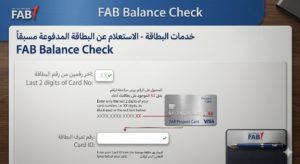
Banks known to offer Etisalat recharge through their apps include Emirates NBD, ADCB, FAB (First Abu Dhabi Bank), Mashreq, and Dubai Islamic Bank.
Steps (vary slightly by bank):
Open your bank’s mobile app and log in. Look for a section labelled “Mobile Recharge,” “Top Up,” or “Bill Pay.” Select Etisalat (or e&) as the operator. Enter the prepaid number you want to recharge. Choose an amount. Confirm using your bank PIN or biometric authentication. The credit is sent instantly to the Etisalat number.
You can also recharge at most UAE ATMs. Select “Bill Payment” or “Mobile Top-Up” from the ATM menu, choose Etisalat, enter the number, and pay using your bank card.
Method 7: Recharge via Third-Party UAE Wallets and Apps
Several UAE-based digital wallets and apps also support Etisalat recharge:
Payit (by First Abu Dhabi Bank) allows mobile top-ups directly within the wallet app. BOTIM includes a recharge feature accessible within the app’s utilities section. Careem Pay (the financial layer within the Careem super-app) supports Etisalat prepaid top-ups. Noon Pay and some other e-commerce wallets also include recharge options.
The process on all of these is consistent: navigate to the recharge or top-up section, enter the Etisalat number, choose an amount, and confirm using the wallet’s stored payment method.
Method 8: Recharge at Physical Stores and Authorised Retailers
For those who prefer face-to-face service or need to pay in cash, this remains a reliable option.
Etisalat / e& official stores: Walk into any official Etisalat or e& store across the UAE. Provide the staff with the mobile number you want to recharge and the amount. Pay in cash or by card. The staff processes the recharge in under a minute and you receive an SMS confirmation.
Authorised retailers and recharge points: These include supermarkets like Carrefour and Lulu Hypermarket, petrol stations such as ADNOC and Emarat, convenience stores, and most mobile phone shops. Physical recharge voucher cards are sold at these locations, with denominations ranging from AED 3 to AED 200 or more. You buy the card, scratch the PIN, and use the USSD code to apply it.
e-Vouchers from retail stores: Many of the same retail outlets also issue digital e-voucher PINs printed on a receipt at the till point, eliminating the need for a physical card. The recharge process is identical — dial *120*PIN# with the printed code.
How to Check Your Etisalat Balance After Recharging
Always verify that your recharge was applied correctly. Here are the methods:
USSD — fastest method: Dial *121# and press Call. You will instantly receive a pop-up message or SMS showing your current prepaid balance and the date it expires.
For postpaid billing: Dial *140# for outstanding balance and billing details.
For data balance: Dial *170# and your remaining data allowance will appear.
Via SMS: Type “Data” and send it to 1010 to receive your data balance by SMS.
Via the app: Open the My Etisalat app. The home screen displays your current balance, active bundles, and data usage in real time without needing to dial anything.
Recharge Validity and Expiry — What You Need to Know
This section is missing from almost every competing article, yet it directly affects how you use your credit.
Etisalat prepaid balance validity depends on the amount recharged and the type of plan:
Daily mini-plans (AED 3–5) are valid for 24 hours from activation. Weekly bundles are typically valid for 7 days. Monthly bundles remain active for 30 days from purchase. Standard airtime recharges (without a specific bundle) give your SIM a usage window — the larger the recharge, the longer the account remains active.
If you do not use your SIM or recharge it within the validity period, your number may first be suspended (unable to make outgoing calls but still receivable) and then fully deactivated after an extended period of inactivity, typically 90 days. Reactivation after deactivation may require visiting an Etisalat store with your Emirates ID.
To check your current balance expiry date, dial *121#. The response SMS will include both your current balance and the date by which it must be used or recharged.
Recharge Not Working? Troubleshooting and Error Fixes
This is the section every competing article skips entirely — and it is the section users need most urgently.
Problem: USSD code gives an “Invalid PIN” error The voucher PIN was entered incorrectly, the card has already been used, or the card was purchased from an unauthorised seller. Double-check the digits you scratched or received digitally. If the PIN is correct but still rejected, return to the retailer immediately with proof of purchase.
Problem: Recharge went through but balance did not update Processing can occasionally take a few minutes. Wait up to 10 minutes and check again using *121#. If after 30 minutes the balance still has not updated, call 101 from any Etisalat line or 800 101 from any UAE phone and provide the transaction reference number from your confirmation SMS.
Problem: Online payment was charged but recharge was not applied Save your bank transaction ID and the confirmation email. Contact Etisalat customer service at 101 or via the complaint form on etisalat.ae. Your bank can also initiate a trace on the payment. Do not attempt the same recharge again until the first transaction is resolved.
Problem: App login not working from abroad Foreign IP addresses sometimes trigger security blocks on account logins. Try using the Quick Pay portal at etisalat.ae/quickpay, which works without logging in. Alternatively, try a UAE VPN connection and then log into the app.
Problem: Credit transfer via USSD failed Confirm that both numbers are active Etisalat prepaid lines. Credit transfers cannot be made to postpaid numbers or to SIMs that are suspended. Also verify you have sufficient balance to cover the transfer amount.
Problem: Recharged the wrong number by mistake Etisalat’s policy is clear: recharges to wrong numbers are final and non-reversible through automated means. Contact customer service at 101 immediately. In some cases, if the wrong number is also an Etisalat line, they may be able to initiate a manual reversal, but this is not guaranteed and is handled case by case.
Method Comparison: Which Option Is Right for You?
| Situation | Best Method |
|---|---|
| No internet at all | USSD Code *120*PIN# |
| Quick top-up on your own phone | My Etisalat App |
| Topping up someone else’s number | Quick Pay website or app |
| Sending credit from your own balance | USSD Transfer *100*Number*Amount# |
| Recharging from outside UAE | Third-party platform or Etisalat app |
| Paying with cash | Physical store or retail voucher card |
| Already in your bank app | Bank app mobile top-up |
| Tourist or first-time user | Etisalat store with staff assistance |
Frequently Asked Questions
What is the Etisalat recharge USSD code?
The main recharge code is *120*PIN#, where PIN is the 15-digit number from your recharge card or e-voucher. Dial this from your Etisalat number and press Call to add credit instantly.
What number do I call for Etisalat recharge customer support?
Dial 101 from any Etisalat number inside the UAE, or 800 101 from any other UAE phone. From abroad, call +971 800 101.
How do I check my Etisalat balance after recharging?
Dial *121# from your Etisalat prepaid number. You will receive a message showing your current balance and expiry date within seconds.
Can I recharge an Etisalat number from outside the UAE?
Yes. Use the My Etisalat app, the official Quick Pay portal, or international top-up platforms like Recharge.com, BOSS Revolution, Ding, or MobileRecharge.com. All support UAE Etisalat numbers and accept international payment cards.
How do I recharge someone else’s Etisalat number?
Use the My Etisalat app and enter their number manually in the recharge field, or go to etisalat.ae/quickpay and enter their number. You can also transfer credit from your own balance by dialling *100*TheirNumber*Amount#.
What is the minimum recharge amount for Etisalat?
Etisalat offers daily data and voice bundles starting from AED 3. Standard airtime recharges are available in multiple denominations starting from AED 10 at most retail outlets.
How long does an Etisalat recharge take to reflect?
USSD and app recharges are typically instant — within a few seconds. Third-party platform recharges can take a few seconds to a few minutes. If a recharge has not reflected within 30 minutes, contact customer support with your transaction reference.
What happens if I recharge the wrong Etisalat number?
Etisalat’s policy is that recharges to wrong numbers are final and non-refundable through automated systems. Contact 101 immediately after the mistake — in some situations a manual reversal may be possible, but it is not guaranteed.
How do I set up Auto-Recharge on Etisalat?
Open the My Etisalat (e&) app, go to your account settings, select Auto-Recharge, choose a trigger balance and top-up amount, and link a payment card. Your number will automatically top up whenever the balance drops below the set level.
Is Etisalat the same as e&?
Yes. Etisalat rebranded to e& (e and) in 2022. All services, USSD codes, apps, and customer support numbers remain the same. The app may appear in stores under either name depending on when it was last updated.
How do I check my Etisalat data balance?
Dial *170# and press Call. You will receive a message showing your remaining mobile data and the bundle’s expiry date. You can also type “Data” and send it to 1010 via SMS for the same information.
Can I recharge a postpaid Etisalat number?
Postpaid accounts work on billing cycles rather than prepaid top-ups. To pay a postpaid bill, use the My Etisalat app under “Pay Bill,” dial *132#, or use the Quick Pay portal. You can also set up automatic bill payment through the app.
Where can I buy Etisalat recharge cards or e-vouchers?
Physical recharge cards and digital e-vouchers are sold at Etisalat stores, Carrefour, Lulu Hypermarket, ADNOC and Emarat petrol stations, most convenience stores, and online through the official Etisalat website and platforms like Noon and Amazon.ae.
What should I do if my Etisalat SIM is suspended?
A suspended SIM often means the account balance or validity has expired. Visit an Etisalat store with your Emirates ID for reactivation. For prepaid SIMs, a minimum recharge during reactivation may be required. Do not leave a SIM inactive for more than 90 days to avoid full deactivation.
How do I transfer credit from my Etisalat number to another?
Dial *100*RecipientNumber*Amount# from your Etisalat prepaid line. The amount is deducted from your balance and added to the recipient’s number in real time. Both numbers must be active Etisalat prepaid accounts for the transfer to work.
Conclusion
Managing your mobile balance in the UAE is simple once you understand how e& works and the tools it provides. Whether you are using the USSD code 120PIN# for instant offline recharge, the My e& app for full account control, or international top-up services while abroad, every method is designed to keep you connected without interruption.
The key takeaway is this: you are not limited to one system. You can recharge through apps, banks, websites, vouchers, or even credit transfer — and all of them lead to the same result: instant mobile connectivity.
If you keep your USSD codes saved, your app logged in, and a backup recharge method in mind, you will never be stuck without credit again.