Ratibi Card Balance Check: Complete Guide to All Methods (2026)
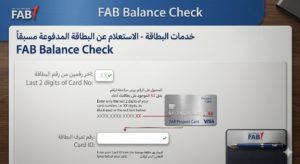
The fastest way to perform a ratibi card balance check is through the FAB PPC Inquiry Portal — enter the last two digits of your card number along with your Card ID, click “Go,” and your available salary balance appears instantly, no login required.
Millions of workers across the United Arab Emirates depend on the Ratibi prepaid salary card to receive their monthly wages. For employees who do not hold traditional bank accounts, this card issued by First Abu Dhabi Bank (FAB) serves as their primary financial lifeline. Knowing how to perform a ratibi card balance check is not merely a convenience — it is an essential skill that protects your earnings, supports better budgeting, and ensures you are always aware of what funds are available for day-to-day expenses. This guide covers every available method, from online portals to ATMs and SMS banking, along with tips, troubleshooting steps, and answers to the most frequently asked questions.
What Is the Ratibi Prepaid Salary Card?
The Ratibi Card is a payroll prepaid card introduced by First Abu Dhabi Bank, specifically designed to pay employees whose monthly salary falls at or below AED 5,000. It was created as a practical solution for workers in the UAE who do not have — or cannot easily open — a conventional bank account. By using this card, employers can transfer salaries digitally, eliminating the need for paper cheques or cash distributions, while employees gain access to their wages in a secure, convenient format.
The card functions in a manner similar to a standard debit card. Cardholders can withdraw cash from ATMs, make purchases at retail stores, pay utility bills, and shop online at platforms that accept Visa or Mastercard. It is accepted at millions of points of sale globally and works across all ATM networks bearing the Visa or Mastercard logo.
The Ratibi Card is fully compliant with the UAE Government’s Wages Protection System (WPS), which legally requires employers to pay salaries through an approved digital channel. This ensures timely, verifiable salary disbursement for all workers under the WPS framework.
Key features of the Ratibi Prepaid Card include:
- No minimum balance requirement and no monthly maintenance charges for cardholders
- Free SMS alerts every time a salary credit is received
- Acceptance at all ATMs and POS terminals on the Visa and Mastercard networks worldwide
- 24/7 customer support through FAB’s dedicated call centre
- Cardholders can set their own PIN at any FAB ATM
- Free personal accident insurance worth up to AED 25,000 in the event of death or permanent total disability due to an accident
- Hospitalisation benefit of AED 50 per day (maximum AED 1,500) for accident-related inpatient treatment lasting 24 hours or more
Why Performing a Regular Salary Balance Inquiry Matters
Before diving into the exact steps, it is worth understanding why consistently monitoring your card funds is so important.
Budget Management: Knowing your available funds at any given time allows you to plan your spending across rent, groceries, transportation, and remittances. Without this awareness, overspending becomes an easy trap.
Fraud Detection: Unauthorised or suspicious transactions can appear on any prepaid card. Regularly performing a ratibi card balance check helps you identify any deductions that you did not authorize, enabling you to report fraud before significant losses occur.
Salary Verification: Many employees want to confirm that their salary has been credited on the expected payday. A quick inquiry confirms receipt and helps you follow up with HR or the employer if there is a delay.
Avoiding Declined Transactions: Running out of funds mid-purchase is embarrassing and disruptive. Staying informed about your available balance ensures you never face an unexpected decline at the point of sale.
Peace of Mind: Financial stress is significantly reduced when you have complete visibility over your earnings. Knowing exactly how much is on your card at all times gives you confidence in your financial decisions.
All Methods to Perform a Ratibi Card Balance Check
There are several ways to check your balance, catering to users with different levels of technology access. Below is a comparison overview of the most popular methods:
| Method | Internet Required | Login Required | Available 24/7 |
|---|---|---|---|
| FAB PPC Inquiry Portal | Yes | No | Yes |
| FAB Mobile App | Yes | Yes | Yes |
| Payit Digital Wallet App | Yes | Yes | Yes |
| SMS Banking | No | No | Yes |
| FAB ATM | No | PIN Required | Yes |
| FAB Branch Visit | No | ID Required | Business Hours |
| Telephone Banking (IVR) | No | No | Yes |
Method 1: FAB PPC (Prepaid Card) Inquiry Portal — The Quickest Online Option
The FAB Prepaid Card (PPC) Inquiry Portal, also referred to as the Magnati PPC Portal by some users, is the most widely recommended method for a ratibi card balance check online. It requires no account registration, no app installation, and no login credentials. All you need are two pieces of information that are printed on your card.
Step-by-Step Instructions:
- Open any web browser on your smartphone, tablet, or computer.
- Search for the official FAB Prepaid Card Enquiry or PPC Inquiry page in your browser.
- On the inquiry page, locate the field asking for the last two digits of your Ratibi Card number. Enter those two digits carefully.
- In the second field, enter your full Card ID number. This is printed on the front or back of your physical card.
- Click the “Go” button.
- Your current available balance will be displayed on the screen within seconds.
This method works around the clock and does not require a registered mobile number or any prior account setup. It is the fastest and most accessible online method for workers who are not comfortable with mobile banking apps.
Pro Tip: Bookmark the FAB PPC Inquiry page on your browser for quick access in the future. On salary days, the portal can experience slightly slower response times due to high user traffic, so try early in the morning or late at night if you encounter delays.
Method 2: FAB Mobile Banking App
The FAB Mobile App gives you full access to your card details, balance, and transaction history in one place. It is available for Android devices via the Google Play Store, for iOS (Apple) via the App Store, and on Huawei devices via the Huawei AppGallery.
Step-by-Step Instructions:
- Download and install the official FAB Mobile Banking App from your device’s app store.
- Open the app and either log in with existing credentials or complete the new user registration process.
- During registration, you will be asked to link your Ratibi prepaid card using your card number and Card ID, along with your Emirates ID and personal details.
- If two-factor authentication is enabled, you will receive a one-time password (OTP) via SMS for verification.
- Once logged in, navigate to the Cards or Accounts section on the dashboard.
- Select your Ratibi card from the list of linked cards.
- Your available balance and recent transaction history will be displayed.
The FAB app also allows you to view mini statements, set up transaction alerts, and manage spending — offering far more functionality than a simple balance inquiry. However, this method requires a stable internet connection and a registered mobile number.
Method 3: Payit Digital Wallet — The All-in-One Option
Payit is FAB’s official digital wallet application and is considered the most feature-rich option for Ratibi cardholders. Beyond a standard ratibi card balance check, Payit allows users to send money internationally to over 200 countries, pay utility bills (including DEWA, Etisalat, DU, Salik, and Mawaqif), request salary advances of up to 50% of the monthly wage, recharge mobile phone credit, and shop online — all from a single app. gulf update 24
How to Set Up Payit for Your Ratibi Card:
- Download the Payit app from the Google Play Store, Apple App Store, or Huawei AppGallery.
- Open the app and tap “Sign Up Now.”
- Select “Ratibi Cardholder” from the registration options.
- Scan your Emirates ID using the app’s camera and confirm your personal and contact details.
- As part of the security verification process, you will be asked to record a short video reciting a sequence of numbers. This facial and voice verification step protects your account.
- Enter the last two digits of your Ratibi card number and your full Card ID.
- Provide your registered mobile number and enter the OTP you receive via SMS.
- Set a 4-digit PIN for transaction authorisation.
- Once registration is complete, a welcome screen confirms successful card linking.
- Open the balance section within the app to view your available funds immediately.
Once linked, you can also activate SMS alerts on the Payit platform so that every salary credit and transaction triggers an instant notification to your phone.
Payit’s “Money on Demand” Feature: This unique feature allows eligible Ratibi cardholders to access up to 50% of their salary before the regular payday. This is especially useful during financial emergencies or when unexpected expenses arise between pay periods.
Method 4: SMS Banking — Check Your Balance Without the Internet
For workers in areas with limited or no internet connectivity, SMS banking offers a quick and simple offline alternative for a ratibi card balance check. This method only requires that your mobile number is registered with FAB’s SMS banking service.
Step-by-Step Instructions:
- Open the messaging app on your mobile phone.
- Compose a new SMS with the following format: type BAL followed by a space and then the last four digits of your Ratibi card number. For example: BAL 4567
- Send this SMS to 2121 — the official FAB SMS banking number.
- Within a short time, you will receive a reply SMS containing your current Ratibi prepaid card balance.
Important Notes for SMS Banking:
- The SMS must be sent from the same mobile number that is registered with your FAB Ratibi card account. Messages from unregistered numbers will not receive a response.
- If your number is not yet registered, visit the nearest FAB branch or contact FAB customer support to activate SMS banking.
- A small SMS fee may apply depending on your mobile operator. This fee is minimal and will be reflected in your transaction history.
- SMS banking works even on basic phones without internet capability, making it one of the most inclusive options.
Method 5: FAB ATM — The Reliable Offline Method
Visiting any FAB ATM or any Visa/Mastercard-compatible ATM in the UAE or abroad provides a reliable offline method to perform a ratibi card balance check. This is the preferred fallback option when online or SMS methods are unavailable.
Step-by-Step Instructions:
- Locate the nearest FAB ATM or any ATM bearing the Visa or Mastercard logo. You can use FAB’s official ATM and Branch Locator tool to find the closest machine.
- Insert your Ratibi Prepaid Card into the ATM.
- Select your preferred language from the display options.
- Enter your 4-digit PIN using the keypad.
- From the main menu, select “Balance Inquiry.”
- Your current available balance will be displayed on the ATM screen.
- Optionally, choose to print a receipt for your records.
Tip: Always use official FAB ATMs for the most reliable and accurate results. Non-FAB ATMs may sometimes generate errors or apply additional enquiry fees. If your Ratibi card is ever confiscated by an ATM (for instance, due to too many incorrect PIN entries), the receiving bank will destroy the card and you will need to contact your employer or FAB to request a replacement.
Method 6: Telephone Banking (IVR) — Speak to an Automated System
FAB provides a 24/7 telephone banking service through an Interactive Voice Response (IVR) system. This is ideal for workers who are not comfortable with digital apps or who lack reliable internet access.
How to Use Telephone Banking:
- Call FAB’s customer care number: 600 522 298 if you are dialling from within the UAE.
- If you are calling from outside the UAE, use the international number: +971 2 499 6279.
- Listen to the automated menu options and navigate to the Balance Inquiry section.
- Provide your authentication details as prompted (such as your card number and registered mobile number).
- Your current balance will be read out to you by the IVR system.
- If you need further assistance or cannot complete the inquiry through the automated system, remain on the line to speak with a live customer service representative.
Keep your Ratibi card number and registered mobile number handy before making the call to speed up the authentication process.
Method 7: FAB Branch Visit — For Personalised Assistance
If all digital and offline methods fail, or if you simply prefer face-to-face assistance, you can visit any First Abu Dhabi Bank branch to perform a ratibi card balance check. Branch staff can verify your identity, access your card account, and provide your current balance and transaction history. You will typically need to bring your Emirates ID or passport with residency visa for identification purposes.
For written reference, the FAB Head Office is located at: FAB One Tower, 14th Floor, Khalifa Street, Khalifa Business Park, P.O. Box 6316, Abu Dhabi, United Arab Emirates. Branch working hours may vary, so it is advisable to confirm timings before visiting.
Eligibility and Application: Who Qualifies for a Ratibi Card?
Understanding the eligibility criteria is important for both employers and employees looking to use the Ratibi payroll system.
For Employers:
- The company must hold a corporate account with First Abu Dhabi Bank.
- The employer is responsible for enrolling employees and loading salary payments onto the cards.
- Employers must ensure employees are properly educated on card usage, security features, and the process to handle lost or stolen cards.
For Employees:
- Employees must be residents of the UAE with valid KYC (Know Your Customer) documentation, including Emirates ID, passport with residency visa, and salary certificate.
- The card is primarily designed for employees earning up to AED 5,000 per month, though eligibility details may vary depending on the employer’s arrangement with FAB.
- There is no minimum balance requirement whatsoever for Ratibi cardholders.
Documents Required:
- Valid Emirates ID
- Passport with UAE residency visa
- Salary certificate or employment letter from the employer
Transaction Limits and Card Features
Ratibi cardholders should be aware of the practical usage capabilities of their cards to make the most of their prepaid accounts.
- Cash Withdrawals: Can be made at any FAB, Visa, or Mastercard ATM globally.
- Point of Sale Payments: The card can be used for purchases at any retail store or restaurant that accepts Visa or Mastercard.
- Online Shopping: Supported on e-commerce platforms that accept Visa or Mastercard.
- International Remittances: Through the Payit app, cardholders can transfer money to over 200 countries almost instantly.
- Bill Payments: Utility bills including DEWA, Etisalat, DU, Salik, and Mawaqif can be settled through the Payit app.
- Phone Recharges: Mobile credit top-ups can be done directly from the Payit platform.
- Salary Advance: The “Money on Demand” feature on Payit allows eligible users to access up to 50% of their salary before the payday.
- Card Expiry: Prepaid cards generally remain valid as long as they have a balance. Some banks may assign an expiry date, after which a replacement card or refund of the remaining balance is processed.
Troubleshooting Common Issues
Even with straightforward processes, users occasionally encounter problems. Here is how to handle the most frequent scenarios:
Issue: Incorrect login credentials on the FAB App Re-check your username and password carefully. If you have forgotten your login details, use the “Forgot Password” option on the app or contact FAB customer support to reset access.
Issue: Website or portal under maintenance The FAB PPC Inquiry portal undergoes periodic maintenance. If you cannot access it, try again after a few hours or switch to the ATM or SMS method as a backup.
Issue: SMS not received after sending balance request Confirm that you sent the SMS from your registered mobile number and that the format was correct (BAL followed by the last four digits). Also ensure your phone has an active SIM card with sufficient credit to send an SMS.
Issue: ATM not responding or showing errors Try a different FAB ATM. Avoid using non-FAB machines as a first option, as results can vary. If the ATM confiscates your card, contact FAB customer support immediately at 600 522 298.
Issue: Card blocked or suspended Contact FAB customer care right away. A card may be temporarily blocked due to multiple incorrect PIN attempts or suspected fraud. The customer service team can guide you through the unblocking process.
Issue: Balance shown but salary not received Contact your HR department first to confirm that the salary transfer has been processed. If HR confirms transfer but balance is not updated, call FAB’s customer care with the transfer reference number.
Issue: Payit app not linking Ratibi card This is a known limitation. Not all Ratibi cards are eligible for Payit linkage. If linking fails, use the PPC Inquiry portal or the FAB ATM as your primary balance-checking methods.
Security Best Practices for Ratibi Cardholders
Protecting your prepaid card and the salary it holds is a responsibility that should never be taken lightly. Here are the most important security guidelines:
Always use only the official FAB website, FAB Mobile App, or Payit app when performing a ratibi card balance check online. Never provide your card details to unofficial third-party websites or apps claiming to offer balance inquiry services, as these may be fraudulent phishing platforms.
Keep your PIN confidential at all times. Do not write it down or share it with anyone, including family members or colleagues. Change your PIN regularly by visiting any FAB ATM.
Ensure the devices you use for mobile or online banking have updated security software, including antivirus protection and the latest operating system updates. Avoid accessing your banking apps on public Wi-Fi networks.
Enable SMS alerts so that every transaction on your card generates an immediate notification. If you see a transaction you did not authorise, report it to FAB customer support without delay.
If your card is lost or stolen, call FAB immediately at 600 522 298 to request a card block and replacement. Acting quickly limits the window during which an unauthorised party could use your card.
Note that FAB does not provide WhatsApp banking. Any message on WhatsApp claiming to offer balance inquiry or banking services on behalf of FAB is fraudulent. FAB only uses WhatsApp for scam reporting purposes.
Comparison of Online vs. Offline Methods
When deciding how to perform your next ratibi card balance check, consider which method best suits your current circumstances:
If you have internet access and are at home or work: The FAB PPC Inquiry Portal is the fastest option. No login, no app — just two pieces of card information and your balance appears in seconds.
If you want full financial management in one app: Download and link your card with the Payit app. It offers not just balance visibility but also salary advances, international transfers, bill payments, and more.
If you have no internet access: Send an SMS to 2121 using the BAL format from your registered number. This is the quickest no-internet solution.
If you are near an ATM: Insert your card, enter your PIN, and select Balance Inquiry. Printed receipts are available for record-keeping.
If you prefer speaking to someone: Call FAB on 600 522 298 for guided IVR support or live agent assistance at any hour.
Each method is official, secure, and free or minimal in cost. The right choice depends on your location, the device you are using, and your personal comfort with technology.
Frequently Asked Questions
How do I check my Ratibi card balance without the internet?
You can check your balance offline in two ways: by sending an SMS with the format BAL followed by the last four digits of your card to 2121 from your registered mobile number, or by inserting your card at any FAB or Visa/Mastercard ATM and selecting the Balance Inquiry option. Both methods work without an internet connection and are available 24/7.
What information do I need for an online ratibi card balance check?
For the FAB PPC Inquiry portal, you only need two pieces of information: the last two digits of your Ratibi card number and your full Card ID. Both are printed on your physical card. No login account is required for this method.
Is there a minimum balance required on the Ratibi card?
No. The Ratibi prepaid card has absolutely no minimum balance requirement. Cardholders can use all available funds without worrying about maintaining a threshold amount.
What should I do if my card is lost or stolen?
Contact FAB customer support immediately by calling 600 522 298 (within UAE) or +971 2 499 6279 (from outside UAE). Request an immediate card block to prevent unauthorised use. Your employer will then need to apply for a replacement card on your behalf through their FAB corporate account.
Can I use the Ratibi card outside the UAE?
Yes. The Ratibi card is accepted at all ATMs and POS terminals worldwide that support Visa or Mastercard. This means you can withdraw cash and make purchases internationally using your Ratibi card.
How often should I check my salary balance?
Financial experts and the top resources on this topic recommend performing a ratibi card balance check at least once a week, and immediately after each salary payment date. More frequent checks are advisable if you have regular recurring expenses or make frequent transactions.
Can I do online shopping with the Ratibi card?
Yes, the Ratibi card supports online shopping on any platform that accepts Visa or Mastercard. This includes international e-commerce websites and local UAE platforms.
What happens if an ATM confiscates my Ratibi card?
The receiving ATM’s bank will destroy the confiscated card per standard banking protocol. You will need to inform your employer, who must apply for a replacement Ratibi card through their corporate FAB account.
What is the “Money on Demand” feature on Payit?
The Money on Demand feature allows eligible Ratibi cardholders to request a salary advance of up to 50% of their monthly pay through the Payit app before the regular payday. This is helpful in financial emergencies and is processed quickly through the app.
Is the Ratibi card the same as the FAB salary account?
No. The Ratibi card is a prepaid salary card for workers who do not have a traditional bank account, primarily for those earning up to AED 5,000 per month. A FAB salary account is a standard bank account offering the full range of banking services. While you can perform a ratibi card balance check using some of the same tools (like the FAB app), the two products serve different customer needs.
What is the FAB customer support number for Ratibi card queries?
Within the UAE, call 600 522 298. From outside the UAE, dial +971 2 499 6279. The support line operates 24/7.
Does FAB send automatic SMS alerts when salary is credited?
Yes. Free SMS alerts are sent automatically to your registered mobile number every time a salary credit is processed onto your Ratibi card. You can also activate general transaction alerts through the Payit app for real-time notifications on every debit or credit.
Final Thoughts
Managing your finances effectively in the UAE begins with staying informed. Whether you are a construction worker, domestic professional, or entry-level employee receiving your wages through this payroll system, understanding how to perform a ratibi card balance check using every available method puts you firmly in control of your financial life. From the ultra-quick PPC Inquiry portal to the feature-packed Payit app, from offline SMS banking to the reliable ATM inquiry, First Abu Dhabi Bank has ensured that every Ratibi cardholder — regardless of internet access, device type, or technology comfort level — has a secure and convenient way to monitor their salary balance at any time of day or night.
Make it a habit to monitor your card regularly, activate SMS alerts, and always use official channels for every ratibi card balance check. These small steps protect your hard-earned salary and give you the financial clarity you deserve.