Etisalat Number Check: Complete Guide for UAE Users (2026)
Performing an etisalat number check is one of the most essential skills for any UAE resident or visitor using a SIM card on the e& (formerly Etisalat) network — the country’s largest and most widely used telecommunications operator.
Whether you just purchased a new prepaid Wasel SIM, misplaced your SIM card packaging, switched devices, or simply cannot recall which number is tied to a particular line, this guide covers every legitimate and reliable method available in 2026. From USSD short codes to the official e& UAE app, the TDRA Hesabati portal, and customer support, you will find a method that fits your situation perfectly.
Why You Might Need to Find Your Etisalat Number
Before diving into the step-by-step methods, it helps to understand why an etisalat number check matters in everyday UAE life. Your mobile number on the e& network is not just a way for people to reach you. It functions as a digital identity across a wide range of essential services:
- Government and official forms — Emirates ID registration portals, visa applications, and residency services often require your active mobile number for OTP (One-Time Password) verification.
- Banking and financial services — Banks including FAB, Emirates NBD, and ADCB send transaction alerts and authentication codes to your registered Etisalat number.
- Utility and subscription activations — Setting up eLife home internet, activating DEWA digital services, or subscribing to streaming platforms all require a verified mobile number.
- Workplace and HR records — Many UAE employers record employee mobile numbers for payroll apps, HR portals, and attendance management systems.
- International money transfers — Sending remittances abroad through services like Western Union, Al Ansari Exchange, or LuLu Exchange typically requires your verified UAE mobile number.
Given how central your number is to daily transactions, knowing how to do a quick etisalat number check at any moment — whether you have internet access or not, whether you have balance or not — is genuinely useful knowledge.
Understanding the Etisalat (e&) Network
Etisalat rebranded as e& in 2022 but continues to operate under both names in the UAE. The company was founded on October 5, 1976 in Abu Dhabi and remains the largest telecom operator in the country, serving millions of prepaid and postpaid subscribers across all seven emirates: Dubai, Abu Dhabi, Sharjah, Ras Al-Khaimah, Fujairah, Ajman, and Umm Al Quwain. The network was also the first to launch a 5G commercial service in the UAE.
All Etisalat mobile numbers follow a standardized format and begin with the prefix 050, 054, or 056 for local numbers. When dialing internationally, the format is +971 followed by 50, 54, or 56 and then the seven-digit subscriber number. Knowing this format helps you instantly recognize whether any given number belongs to the e& network or to competitor networks like du.
Method 1: USSD Code *101# (The Fastest Free Method)
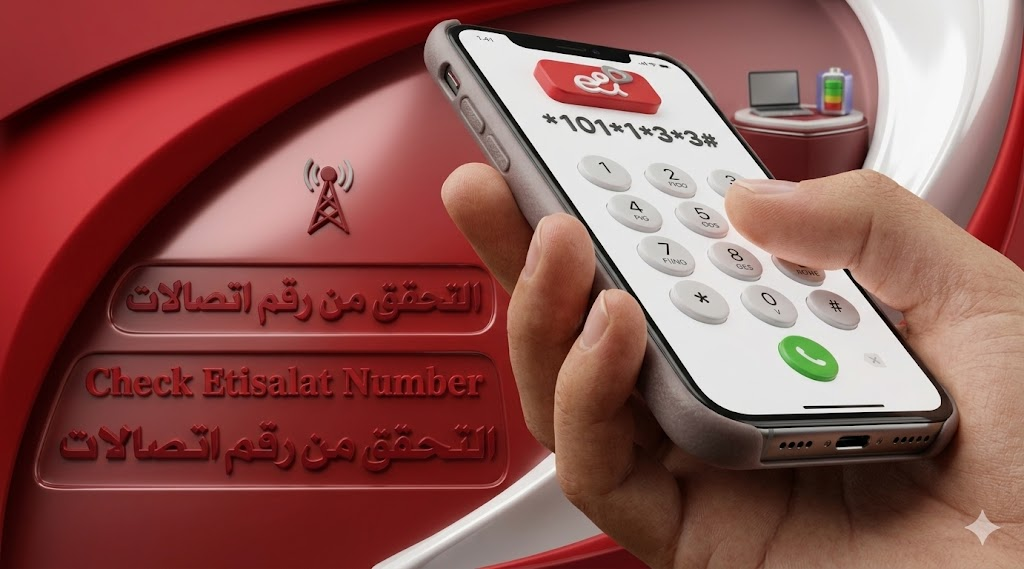
The quickest and most universally recommended way to complete an etisalat number check is by using the USSD (Unstructured Supplementary Service Data) shortcode *101#. This method requires no internet connection, no app installation, and absolutely no account balance. It works around the clock, seven days a week.
Step-by-step instructions:
- Insert your Etisalat SIM card in your phone and ensure the device is powered on.
- Open the Phone Dialer (the standard call app on your device).
- Type *101# and press the Call button.
- A pop-up menu will appear on your screen within seconds.
- Type 1 to enter the “Account Management” section, then press Send or Reply.
- From the next menu, type 3 to select “Account Information”, then press Send or Reply.
- Type 3 again to choose “Know My Number” from the options.
- Your Etisalat SIM number will appear in a service message on your screen.
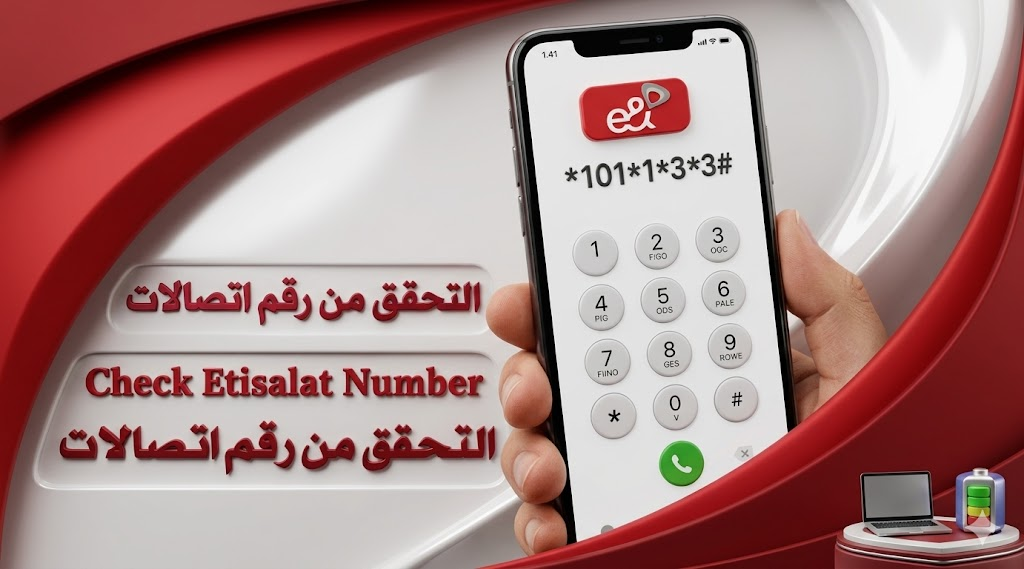
For users who want a direct shortcut, you can skip all the menu steps by dialing *101*1*3*3# directly. This single code navigates through all the menus automatically and displays your registered number instantly.
Key advantages of this method:
- Works without any airtime credit
- No internet connection required
- Available 24/7 from anywhere in the UAE
- Completely free of charge
- Compatible with all phone types including basic handsets
Method 2: USSD Code *248# (Alternative Code for Owner Details)
Another USSD option widely used for an etisalat number check is *248#. This code not only shows your phone number but also displays the registered owner name, the SIM registration date, and basic account details — all in a single pop-up response.
How to use it:
- Make sure your Etisalat SIM is inserted in your device.
- Go to your phone’s dial pad.
- Dial *248# and press the Call button.
- A pop-up will appear showing your SIM number, registration date, and the owner name associated with your account.
This method is especially popular among users who have recently purchased a second-hand SIM or inherited a device and want to confirm the SIM’s ownership status. It is entirely free to use and delivers results in under ten seconds. Note that these USSD codes are subject to change by the operator, so if a code stops working, always verify the latest version through the official e& website or customer support line.
Method 3: Using the e& UAE App (Formerly My Etisalat UAE App)
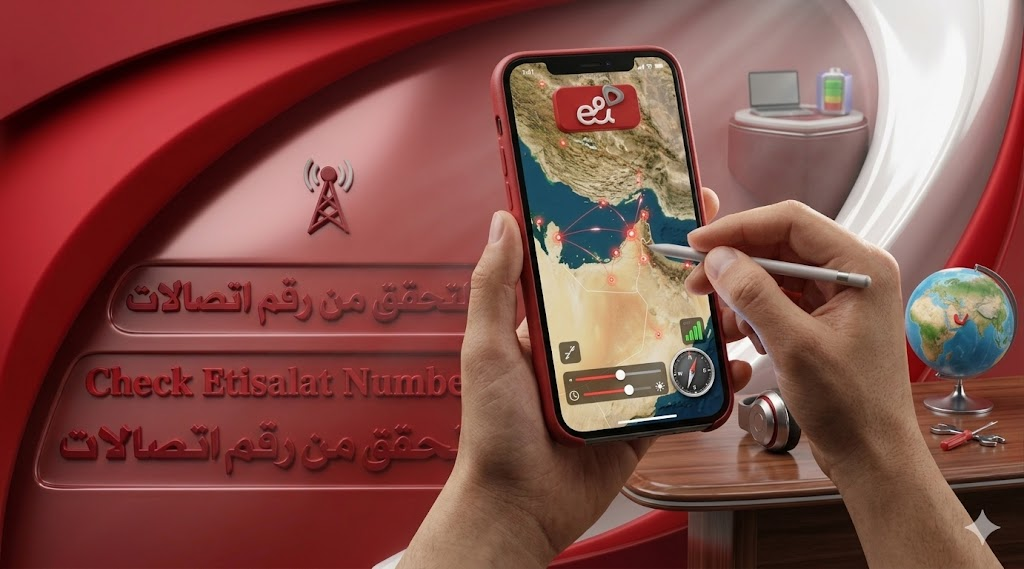
The official e& UAE app — available on both the Google Play Store for Android users and the Apple App Store for iPhone users — is the most comprehensive tool for account management, and it allows users to complete an etisalat number check with complete detail in just a few taps.
How to check your number via the app:
- Download the e& UAE app (search for “e& UAE” or “My Etisalat UAE” in your app store).
- Open the app and enter your Etisalat mobile number.
- You will receive an OTP (One-Time Password) via SMS to verify your identity.
- Enter the OTP and complete the login process.
- Once logged in, your registered Etisalat number is prominently displayed on the home dashboard.
- For additional details including SIM owner name, active plans, and balance, navigate to the “Account” or “Profile” section.
What else the e& UAE app shows you:
Beyond the basic number display, the app provides a full account overview including remaining prepaid credit, postpaid billing cycle details, active data packages and their expiry dates, international roaming plans, and subscribed value-added services. Users managing multiple lines or business accounts will particularly benefit from this method as the app supports viewing all numbers linked to a single account.
The app is especially recommended for users who want real-time updates on usage, notifications for low balance or data, and easy plan management — all without making a single phone call.
Method 4: Dial a Friend or Family Member
This is the simplest no-code method and works well when you have sufficient airtime balance. Simply call any friend, family member, or colleague. Your Etisalat SIM number will automatically display on their phone screen as the incoming call notification. You can then ask them to read the number back to you, or simply look at their screen yourself if you are nearby.
The limitation of this approach is obvious — it requires an active balance on the SIM and access to someone you can call. If your SIM is out of credit, opt for Method 1 or Method 2 instead.
A variation of this method is sending an SMS to someone. The message will arrive from your Etisalat number, which the recipient can read to you. However, since SMS also requires balance, this has the same restriction.
Method 5: The TDRA Hesabati Portal (Check All SIMs Under Your Emirates ID)
The Telecommunications and Digital Government Regulatory Authority (TDRA) operates an official online platform called Hesabati, which allows UAE residents to view all mobile numbers registered under their Emirates ID or UAE Pass. This is particularly valuable if you want to confirm how many SIM cards are registered in your name or if you want to do an etisalat number check for multiple lines simultaneously.
How to access Hesabati:
- Open any internet browser on your phone or computer.
- Visit the official TDRA website and navigate to the “Our Initiatives” or “Hesabati” section.
- Click “Login” and choose to authenticate using either your Emirates ID credentials or UAE Pass.
- Once logged in, the portal will display a full list of all mobile numbers registered under your identity, including Etisalat numbers and numbers from other operators.
This method is completely free, requires no phone call or SMS, and is especially recommended for users who want to audit all SIM registrations linked to their identity — a useful step for security and fraud prevention.
Method 6: Check the Physical SIM Card Packaging
When you purchase a new Etisalat SIM card, the number is always printed on the SIM card itself and on its retail packaging or card holder. If you still have the original packaging from when you bought the SIM, check the front or back of the card for your mobile number.
This method works entirely offline, requires no phone action, and takes only seconds. The downside is that many users discard their SIM packaging shortly after purchase, making this option unavailable for older SIM cards.
Method 7: Check Your Phone’s Settings
Most modern smartphones — both Android and iOS — store your SIM card’s registered number in the device settings. This method works for completing an etisalat number check without any codes or apps.
On Android devices:
- Go to Settings → About Phone → SIM Status → Phone Number
On iOS (iPhone) devices:
- Go to Settings → Phone → My Number
Note that this method depends on whether the number was correctly recorded by the device during activation. Some phones, especially older models or those where the SIM was inserted manually without network provisioning, may show the number as “Unknown.” In such cases, the USSD code methods are more reliable.

Method 8: Call Etisalat Customer Service (101)
When all other methods fail or if you need to resolve an account-related issue at the same time, calling the Etisalat customer support line is a reliable backup. Dialing 101 from any Etisalat SIM connects you to an automated IVR (Interactive Voice Response) system that can guide you through account information retrieval.
If you prefer speaking to a live agent, say “customer service” or navigate to the representative option in the IVR menu. The support team is available 24/7 and operates in multiple languages, reflecting the UAE’s diverse population.
For calls from outside the UAE, dial +971 400444101 (standard international rates apply).
Before calling, be prepared to verify your identity. The support team may ask for your Emirates ID number, account details, or the answer to a security question. Once your identity is confirmed, the agent can provide your registered number and other account details.
Complete USSD Code Reference Table for Etisalat
| Action | USSD Code | Works For |
| Check your own number | *101# | Prepaid & Postpaid |
| Direct number retrieval | *101*1*3*3# | Prepaid & Postpaid |
| SIM owner and number | *248# | Prepaid & Postpaid |
| Prepaid credit balance | *121# | Prepaid |
| Data balance | *170# | Prepaid & Postpaid |
| Postpaid bill/balance | *140# | Postpaid |
| Prepaid offers/promotions | *101# | Prepaid |
| Credit limit check | *142# | Postpaid |
| Credit transfer | *100*number*amount# | Prepaid |
How to Check the Etisalat SIM Owner Name
Knowing your SIM number is one thing, but many users also need to confirm who the SIM is officially registered to — particularly for secondhand devices, inherited SIM cards, or business lines. The methods for checking owner registration details are as follows:
Via USSD *248#: As described in Method 2, this code displays the SIM owner name along with the registration date. It is the fastest self-service option.
Via the e& UAE App: Once logged in, navigate to the “Profile” or “Account” section. The registered name linked to the SIM will be displayed here.
Via Customer Service (101): For verification purposes, the support team can confirm the registered name for your own account after verifying your identity.
Important privacy note: Due to strict UAE privacy and cybersecurity laws enforced by the TDRA, it is not legally possible to look up the personal details of another person’s Etisalat SIM without proper authorization. The UAE’s personal data protection framework prohibits unauthorized access to mobile subscriber information. This applies to all UAE telecom operators. Anyone claiming to offer a public directory of Etisalat SIM owner details should be treated with serious caution, as such services typically violate UAE law and expose users to potential fraud.
What to Do If the USSD Codes Are Not Working
Occasionally, users report that USSD codes are not functioning correctly. Here are the most common reasons and fixes:
USSD services are disabled: Check your phone settings under Network or Mobile Data and ensure USSD is enabled. Some phones disable this feature by default.
Dual-SIM confusion: If you use a dual-SIM phone, make sure you are dialing from the correct SIM slot. USSD codes are executed on the SIM that initiates the dial.
Outdated or changed codes: Etisalat can update its service codes at any time. If a code is not responding, verify the latest codes through the official e& website or customer service.
Inactive SIM card: USSD functionality typically works only on active SIM cards. A SIM that has been inactive beyond its validity period may not respond to USSD queries.
Wrong code for plan type: Prepaid and postpaid accounts use different codes for certain services. Using a postpaid code on a prepaid SIM (or vice versa) will produce no result or an error message.
If none of these fixes resolve the issue, the e& UAE app or a direct call to customer service (101) are the most reliable fallback options. lulu salary card balance check
Etisalat Number Formats Explained
Understanding the number format helps you verify that what you have retrieved is actually a valid Etisalat number. All UAE mobile numbers follow this structure:
- Local format: 05X-XXX-XXXX (e.g., 050-123-4567)
- International format: +971-5X-XXX-XXXX (e.g., +971-50-123-4567)
Etisalat-specific prefixes are 050, 054, and 056. Numbers starting with 055 or 058 belong to du, the other major UAE telecom operator. If the number retrieved does not begin with one of these Etisalat prefixes, verify whether you may have accidentally checked the wrong SIM.
Using Truecaller for Unknown Number Identification
While performing an etisalat number check for your own SIM is straightforward, identifying who owns a specific unknown number is a different matter altogether. Due to UAE privacy laws, Etisalat cannot legally disclose subscriber information to third parties.
A common alternative is using Truecaller, a third-party caller ID application that maintains a crowd-sourced database of phone numbers and their associated names. To use it, download the app from the Play Store or App Store, create an account, and search for the number in question.
However, there are important caveats. Truecaller’s database is user-generated and not always accurate. Names may be outdated, incorrect, or linked to previous SIM owners. It should never be treated as an official or legally reliable source of owner information. For legitimate verification needs, always go through official Etisalat channels or the TDRA Hesabati platform.
Tips for Keeping Your Etisalat Number Easily Accessible
To avoid the frustration of forgetting your SIM number in future, consider these simple practices:
Save your number in your own contacts: Create a contact entry named “My Etisalat Number” with your own mobile number saved in it. This gives you instant access whenever you need it.
Write it down or take a screenshot: After retrieving your number via any method, save a screenshot or write it in a notes app for quick future reference.
Keep the SIM packaging: Store the original SIM card holder in a safe place. The number is printed on it and remains accessible even if your phone battery dies.
Add it to your digital wallet: Many UAE residents store their key numbers and ID information in secure notes apps or digital wallets on their phones.
Use UAE Pass: Registering your Etisalat SIM with UAE Pass links your number to your national digital identity, making it easier to retrieve and verify across government and commercial portals.
Frequently Asked Questions (FAQs)
Q: What is the fastest way to do an etisalat number check?
A: Dial *101# from your Etisalat SIM card. The USSD menu will guide you to your number within a few taps, completely free of charge and without any internet connection.
Q: Can I check my Etisalat number without any balance?
A: Yes. The USSD codes *101# and *248# work regardless of your account balance. They are free services that function independently of your credit.
Q: How do I find all SIM numbers registered under my Emirates ID?
A: Use the TDRA Hesabati portal. Log in with your Emirates ID or UAE Pass and you will see all SIM cards registered under your identity across all UAE telecom operators.
Q: Can I find out who owns an unknown Etisalat number?
A: Officially, no. UAE privacy laws prevent Etisalat from disclosing subscriber details to third parties. You can try Truecaller as an informal alternative, but it is not always accurate or legally authoritative.
Q: Does the e& UAE app work for tourist SIM cards?
A: Yes. Tourist prepaid SIMs purchased from Etisalat support both the USSD methods and the app-based method for retrieving your number.
Q: Is there a charge for calling Etisalat’s customer service at 101?
A: Dialing 101 from an Etisalat SIM is generally free. However, calling from a low-balance SIM may incur a small charge depending on your tariff plan. USSD methods are always the free alternative.
Q: What if my phone shows “Unknown” for the SIM number in settings?
A: This happens on some devices. Use *101# or *101*1*3*3# as a reliable alternative to retrieve your number directly from the network.
Q: How many times can I check my number?
A: There is no limit. You can perform an etisalat number check as many times as needed. All USSD methods are available 24/7 with no usage restrictions.
Q: What does the rebranding from Etisalat to e& mean for my SIM?
A: Nothing changes for subscribers. Your SIM number, plans, USSD codes, and services remain exactly the same. The e& rebrand is a corporate identity change and does not affect day-to-day account management.
Q: Can I check my number while traveling outside the UAE?
A: USSD codes may not function on all international roaming networks. The e& UAE app is the recommended method for checking your number while abroad, as it works over Wi-Fi or mobile data from any country.
Conclusion
There are more ways than most people realize to complete an etisalat number check quickly and without any cost. Whether you prefer the instant USSD approach with *101# or *248#, the comprehensive detail available through the e& UAE app, the government-backed TDRA Hesabati portal, or a direct call to customer service, all options are free, reliable, and accessible to every subscriber — whether prepaid or postpaid, tourist or long-term resident.
The key takeaway is that you never need to visit an Etisalat store just to find your own SIM number. All the methods covered in this guide can be completed from anywhere in the UAE in under two minutes. Save your number somewhere accessible after you retrieve it, and you willnever find yourself searching for it again.
Related Post
etisalat unlimited data package monthly