Lulu Salary Card Balance Check Online – Easy UAE Guide 2025
Millions of expatriate workers across the UAE rely on the lulu salary card balance check online as their primary method to stay on top of their earnings, plan daily purchases, and confirm whether their monthly wages have been credited. Managing money in a fast-paced environment like the UAE demands real-time financial awareness, and for the hundreds of thousands of employees enrolled under the Wages Protection System (WPS), the Lulu Exchange salary card is the single most important financial tool they carry.
Whether you are a new employee trying to understand how your card works, or a long-time cardholder who wants to explore faster and more reliable ways to track available funds, this comprehensive guide covers every method, every step, and every important detail you need. You will find instructions for using the LuLu Money app, the official website portal, ATM balance inquiries, SMS-based checks, and in-branch services. You will also find a breakdown of the card types Lulu Exchange offers, common troubleshooting scenarios, security practices, and detailed FAQs drawn from real user questions.
The information here is accurate, up to date, and written specifically for UAE residents and workers who depend on the Lulu WPS payroll system every month.
What Is the Lulu Exchange Salary Card
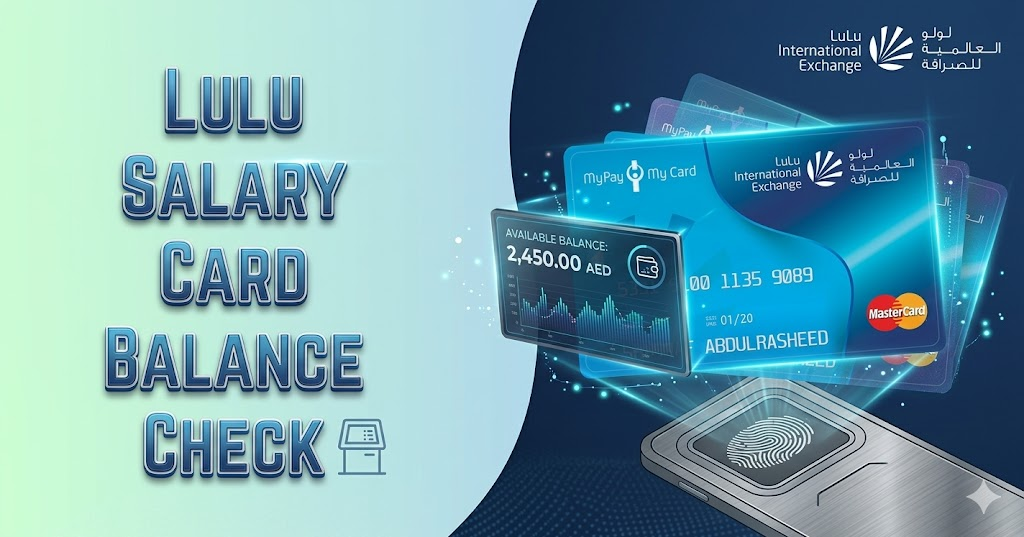
The Lulu Money Salary Card is a Wage Protection System (WPS)-compliant payroll card issued by Lulu Exchange, one of the UAE’s most prominent financial service providers. It was designed for employees who may not have access to regular banking services, allowing them to receive salaries, make purchases, withdraw cash, and manage their money independently.
Known formally as the “My Pay My Card,” this WPS salary card is issued in partnership with Lulu Financial Holdings and serves over 400,000 employees and 30,000 corporate clients across the UAE.
The card functions in a manner very similar to a standard debit card. It is embedded with NFC technology for multiple layers of security and allows users to tap and pay at thousands of retail outlets, restaurants, pharmacies, groceries, and convenience stores. Beyond everyday spending, cardholders also use it to send international remittances, pay utility bills, and manage personal finances without needing a conventional bank account.
The Lulu Exchange Salary Card is a kind of prepaid card that works like a salary account for employees in the UAE. They can use it like a bank account and check their Lulu card balance anytime, anywhere.
For workers who want to know if their salary has been deposited, or who need to confirm their remaining balance before making a purchase, performing a lulu salary card balance check online is the fastest and most widely recommended option. It eliminates the need to visit a physical location and provides real-time data directly from your account.
Why Regularly Checking Your Balance Matters
There is a practical reason why financial advisors and UAE-based employment consultants consistently encourage workers to monitor their salary card activity. Knowing your balance is not simply about confirming a number on a screen. It connects to broader goals around financial control, fraud prevention, and smart spending.
Many UAE workers check their Lulu balance multiple times a week to stay informed and financially organized. This habit reflects a growing awareness among the expatriate workforce that financial clarity equals financial security.
Here are the key reasons why checking your balance regularly is important:
- Confirming salary credit: Many workers need to confirm that their employer has deposited their wages before making rent payments, remittances, or major purchases.
- Avoiding declined transactions: Knowing your available funds prevents the embarrassment of a card being declined at the checkout counter or ATM.
- Detecting unauthorized activity: Regular checks help you identify suspicious or unrecognized transactions early, allowing you to act quickly.
- Planning remittances: Workers sending money home to family members abroad need to confirm the available balance before initiating a transfer.
- Monitoring spending habits: Tracking outflows through balance and transaction history builds responsible money management behavior.
Your “available balance” can differ from your “ledger balance” if you have pending card transactions or authorizations. Being aware of this distinction helps you avoid errors when making time-sensitive payments.
Understanding the LuLu Money App
The LuLu Money App is the official mobile application for all Lulu Exchange cardholders and is the most recommended tool for anyone who wants to perform a lulu salary card balance check online quickly and securely. The mobile app provides the most comprehensive balance management experience, offering not just balance information but also detailed transaction history, spending analytics, and account management tools.
The app is available on both Android and iOS platforms and is completely free to download and use. It eases customers to manage balances, make digital spends directly from the app, and avoid the need to roam around ATMs for withdrawals, remittances, payments, and top-ups.
Key features of the LuLu Money App include:
- Real-time balance display for linked salary cards
- Full transaction history with timestamps and merchant details
- International money transfer with competitive exchange rates
- Card management tools including blocking, replacing, and PIN reset
- Bill payment for utility services and subscriptions
- Low balance and salary credit notifications via push alerts
- Aani Payments integration for instant transfers within the UAE
All WPS customers can also send money using their issued salary card on the LuLu Money transfer app with exciting offers and benefits.
How to Check Your Lulu Salary Card Balance Using the LuLu Money App
Performing a lulu salary card balance check online through the mobile application is straightforward. Follow the steps below precisely to access your account balance within seconds.
Step 1: Download the LuLu Money App from the Google Play Store if you use an Android device, or from the Apple App Store if you use an iPhone.
Step 2: Open the app and tap on the “Sign Up” button if you are a new user. Enter your registered mobile number, verify using the OTP sent to your phone, and complete the account setup process.
Step 3: If you already have an account, tap “Sign In” and enter your credentials.
Step 4: Select the “LuLu Money Cards” option from the Home page or from the “My Cards” option in the “More” menu, or from the Quick Access section after adding a card under your customer account.
Step 5: In the My Card page, you will be able to see your Virtual Card in the top section with the Available Balance.
Step 6: Tap on the balance amount to view your full transaction history and confirm whether your salary has been credited.
Tip: Subscribe to Lulu balance check reminders, low balance notifications, or reward points accumulation through email or SMS directly through the app’s notification settings. This way you receive an automatic alert each time your salary is deposited, without needing to manually open the app each time.
If you encounter any login issues, make sure your registered mobile number is active and receiving OTPs. If your number has changed, visit the nearest Lulu Exchange branch with your Emirates ID and salary card to update your details before attempting the lulu salary card balance check online again.
How to Check Balance Through the Lulu Exchange Website Portal
For employees who prefer using a desktop or laptop rather than a smartphone, the official website offers an alternative method to complete the lulu salary card balance check online. This is particularly useful for workers who access the internet through shared computers at labor accommodations or internet cafés.
The balance in your card can also be checked using the official Lulu Exchange website. Select payroll services, followed by Check Card Balance. Insert your PIN or Date of Birth and Card Number. Enter the CAPTCHA validation.
Follow these steps when using the website portal:
Step 1: Open a browser on your computer or phone and navigate to the official Lulu Exchange or LuLu Money website.
Step 2: Look for the “My Pay Portal” or “WPS” section within the website navigation.
Step 3: Log in using your registered username and password or your card number and PIN.
Step 4: Once logged in, click on “My Cards” or “My Account” and select your Lulu salary card.
Step 5: Click on the “Balance Inquiry” or “Check Balance” option to view your current available balance on screen.
Step 6: For detailed records, navigate to the transaction history section to see individual debits, credits, and remittance entries.
It is important to always access the portal from a trusted and secure internet connection. Avoid using public or shared Wi-Fi networks when performing any financial transactions, as this reduces the risk of unauthorized access.
How to Check Lulu Salary Card Balance Through ATM
For workers without a smartphone or stable internet connection, the ATM balance inquiry remains the most accessible and widely used offline method. The LuLu Salary Card is compatible with most ATMs across the UAE, making ATM balance checks the most widely used method for users without internet access.
In the UAE, the My Pay My Card works at Emirates NBD, Emirates Islamic, Mashreq, and Lulu Exchange branch ATMs. Internationally, it works at ATMs displaying the Mastercard or Discover logo.
Here are the steps to check your balance at an ATM:
Step 1: Locate a Lulu Exchange branch ATM, or an ATM belonging to Emirates NBD, Emirates Islamic Bank, or Mashreq Bank.
Step 2: Insert your Lulu salary card into the card slot with the chip facing up.
Step 3: Enter your 4-digit PIN when prompted. Shield the keypad carefully to protect your number.
Step 4: From the main menu, select “Balance Inquiry” or “Check Balance.” On some machines this option may appear under “Other Services.”
Step 5: Your available balance will be displayed on screen. Choose to print a receipt if you need a physical record for your files.
Step 6: Collect your card and printed slip before stepping away from the machine.
An ATM inquiry is reliable when online systems are down or your SMS isn’t working. Keep the receipt if you need to dispute a missing salary credit later.
Decline dynamic currency conversion (DCC) if prompted in a non-AED context; always choose AED. This small step ensures you are not charged an unexpected conversion fee on your own domestic account.
How to Check Lulu Salary Card Balance Through SMS
If you do not have internet access, SMS is a fast way to check your Lulu card balance. This method works from any basic phone and does not require any app installation or internet connection, making it ideal for workers in areas with limited connectivity.
Send BAL [your card number] to 51199 from your registered mobile number. For example: BAL 1234567890123456. You’ll receive your balance via SMS within seconds.
Important notes for the SMS method:
- The SMS must be sent from the mobile number that is registered to your Lulu salary card. Messages sent from unregistered numbers will not receive a response.
- There are no charges for Lulu balance enquiry, but you need to pay the standard SMS charges if you check your Lulu card balance by SMS.
- The SMS method works mainly within the UAE. Workers traveling abroad should use the LuLu Money app or website instead.
- You can get your up-to-date balance, the date of the latest transaction, and the date of the last salary deposit within a few seconds.
If you do not receive a response after a few minutes, verify that your number is correctly registered, that you have sufficient credit on your prepaid SIM, and that you are using the exact format specified above.
How to Check Balance by Phone Call
For workers who are uncomfortable with technology or who face specific account issues that require human assistance, Lulu Exchange offers a customer care helpline through which balance information can be obtained verbally.
Here is how to use the phone call method:
Step 1: Call the official Lulu Exchange customer care number at +971 600 522 204.
Step 2: Listen to the automated voice menu and select the option for “Balance Inquiry” or “Card Services.”
Step 3: When prompted, enter or verbally confirm your card number and any security details requested.
Step 4: The system or agent will provide your current available balance.
Step 5: If you are speaking with a live agent, you may also request a recent transaction history or ask about the reason for any discrepancies in your balance.
This method is particularly useful when you are experiencing issues with your app, website portal, or ATM card reading, and need to verify your balance before making an urgent payment or remittance.
How to Check Balance at a Lulu Exchange Branch
Visiting a physical Lulu Exchange branch remains one of the most reliable and comprehensive options for workers who need assistance with their salary card. Staff at all branches are trained to assist WPS customers on a priority basis.
To check your Lulu balance at a physical location: visit any Lulu Exchange branch or Lulu Hypermarket counter offering card services. Carry your Lulu card and a valid ID, especially for salary or prepaid cards. Ask staff to help you check your card balance. They may swipe your card and verify your ID before giving you the balance. You can also request a mini statement or a printed copy if available.
Branch staff can also assist with card activation, PIN resets, mobile number updates, card replacements, and international remittance services. If your lulu salary card balance check online attempts have consistently failed due to login or registration issues, a branch visit is the most efficient resolution.
Comparison Table of All Balance Check Methods
| Method | Internet Required | Speed | Available 24/7 | Cost |
|---|---|---|---|---|
| LuLu Money App | Yes | Instant | Yes | Free |
| Website Portal | Yes | Instant | Yes | Free |
| ATM Balance Inquiry | No | Instant | Yes | Free (own ATM) |
| SMS to 51199 | No | Within seconds | Yes | Standard SMS rate |
| Phone Call (600 522 204) | No | 2–5 minutes | Business hours | Standard call rate |
| Branch Visit | No | 5–10 minutes | Business hours | Free |
This table gives a clear side-by-side overview of what each method requires and what it costs. For most users, the LuLu Money App offers the best combination of speed, convenience, and zero cost. For workers without smartphones, the ATM and SMS options provide equally reliable access.
Understanding the Different Types of Lulu Cards
Not all Lulu cards are the same. Lulu Exchange issues several different card types for different purposes, and the balance check process may vary slightly depending on the type of card you hold. Understanding which card you have helps you use the right method.
Lulu WPS Salary Card (My Pay My Card) Designed for UAE-based workers, this card is issued by Lulu Exchange under the country’s Wages Protection System (WPS). Employers credit monthly salaries directly to the card, which can be used for shopping, bill payments, and ATM withdrawals. This is the card type most relevant when you complete a lulu salary card balance check online.
Lulu Prepaid Card Used for routine purchases, online shopping, and top-ups at branches or through the app. This card can be reloaded and is not tied to a WPS payroll system.
Lulu Gift Card This prepaid card is often given during festivals, corporate events, or store promotions. It lets the holder shop at Lulu Hypermarkets and affiliated stores until the balance is fully used. It’s ideal for gifting family, employees, or friends, but cannot be reloaded once the amount is spent.
Lulu Travel Card The Lulu Exchange Travel Card is a reloadable multi-currency prepaid card ideal for frequent travelers. It lets users switch currencies without extra fees and use the card internationally for payments or withdrawals.
Lulu Loyalty/Points Card Linked to the in-store loyalty program, this card collects reward points every time you shop at Lulu Hypermarkets. The balance on this card refers to accumulated reward points rather than spendable cash.
Gift card balances can be checked only through online methods and not from ATMs. Keep this in mind if you hold a gift card and attempt to use an ATM for balance inquiry. etisalat quick recharge online
Benefits of the Lulu Exchange Salary Card
The Lulu WPS salary card offers significantly more than just payroll access. It is designed as a full-featured financial tool for the UAE’s expatriate workforce, combining global payment networks with local service infrastructure.
The Lulu Exchange Salary Card comes with a lot of benefits for expat employees in the UAE:
- Send money instantly anytime, anywhere using the LuLu Money Transfer App
- Multi-layer security embedded with NFC technology for added safety
- International POS and ATM cash withdrawal through the Discover network
- Contactless payments in retail stores, restaurants, pharmacies, groceries, and convenience stores
- Check transaction history, set usage limits, reset PIN, manage account, and block or replace card using the LuLu Money App
- Cash withdrawal through all LuLu Exchange branches, Emirates NBD, Emirates Islamic Bank, and Mashreq Bank ATMs in UAE
With global ATMs via the Discover network, cardholders can also withdraw cash internationally. You can manage card features — including blocking a lost card or resetting your PIN — all through the LuLu Money App.
These features make the Lulu salary card far more useful than a basic payroll instrument. It effectively replaces the need for a traditional bank account for the majority of day-to-day financial activities.
What Is the Wages Protection System (WPS) and Why It Matters
The Wages Protection System, commonly referred to as WPS, is a government-mandated initiative in the UAE managed jointly by the Ministry of Human Resources and Emiratisation (MoHRE) and the Central Bank of the UAE. Its purpose is to ensure that all employees in the private sector receive their salaries on time, in full, and through a regulated financial channel.
Lulu Exchange’s WPS services are fully compliant with the rules and regulations of the Ministry of Labour and the Central Bank of UAE. They foster employee loyalty and productivity by protecting their rights, and a dedicated Relationship team ensures they are available for customers at all times as a one-point contact for all assistance.
Under the WPS framework, employers are required to transfer salaries electronically to an approved financial institution or exchange house. Lulu Exchange is a licensed WPS participant, which means employers can register their payrolls through Lulu and have salaries credited directly to each employee’s My Pay My Card.
For employees, this means greater financial transparency. All WPS customers are ably serviced by Lulu’s support team available in all branches, ensuring they are served on priority.
When you perform a lulu salary card balance check online, you are directly accessing your WPS payroll account. If a salary has not been credited on the expected date, it may indicate that the employer has not yet processed the payroll transfer. In such cases, employees are advised to contact their HR department first, and then reach out to Lulu Exchange customer support if the issue persists.
Security Tips for Checking Your Balance Online
Financial security is a responsibility that belongs equally to the service provider and the cardholder. While Lulu Exchange uses advanced encryption and authentication protocols, users must also practice responsible behavior when accessing their accounts.
LuLu Money ensures strict SSL over TLS 1.2 and follows HSTS protocol with Sectigo certified CA. They use OAuth 2.0 API authentication for secure communication between your device and the system, and certified security specialists work round the clock to ensure your safety and peace of mind.
As a user, follow these security guidelines every time you do a lulu salary card balance check online or access any financial portal:
- Always download the LuLu Money App from the official Google Play Store or Apple App Store. Avoid third-party download links.
- Never share your card PIN, OTP, or account password with anyone, including people claiming to be Lulu Exchange staff.
- Use a personal and secure internet connection rather than public or shared Wi-Fi when accessing your account through the website.
- Log out completely from the app or web portal after every session, especially on shared devices.
- Enable biometric login (fingerprint or face recognition) on the LuLu Money App for an added layer of protection.
- Monitor all transactions to find any unauthorized usage early.
- Report any suspicious activity immediately by calling +971 600 522 204 or visiting the nearest Lulu Exchange branch.
If you suspect that your card details have been compromised, do not wait. Use the card blocking feature in the LuLu Money App immediately, or call customer support to freeze your account while the situation is investigated.
How to Confirm Whether Your Salary Has Been Credited
One of the most common reasons workers perform a lulu salary card balance check online is to confirm whether their monthly salary has been deposited. This is especially important around the usual payroll dates, which vary by employer and industry.
You can transfer money to your loved ones only after your wages or salary is credited to your Lulu Salary Card. Many workers wait for salary confirmation before initiating remittances, ensuring they do not accidentally overdraw their available funds.
To verify salary credit specifically:
Step 1: Open the LuLu Money App and navigate to your salary card.
Step 2: Check the available balance and compare it to the previous balance to identify any credit.
Step 3: Tap on “Transaction History” and look for an incoming credit entry that matches your expected salary amount.
Step 4: The transaction will typically be labeled as “Salary Credit” or under your employer’s company name.
Step 5: If no credit appears by the expected date, check with your HR department to confirm whether the payroll has been processed.
Wait for posting time: some programs show “pending” credits before the available balance updates. Refresh or logout and log in in the app, or check via ATM to confirm.
Troubleshooting Common Balance Check Issues
Even with reliable services, technical difficulties occasionally arise. Here is a detailed guide for resolving the most common problems that cardholders encounter:
Problem: App not showing updated balance This often occurs due to a temporary sync delay. Close the app completely, wait two minutes, and reopen it. If the balance still does not update, log out and log back in. If the issue persists beyond 24 hours, contact customer support.
Problem: Incorrect balance displayed Check for holds: pending card transactions can reduce available balance. A recent purchase that has not yet fully settled may temporarily reduce the displayed balance. Review your transaction history to confirm.
Problem: SMS not delivering balance response Make sure you’re texting from the registered mobile number. Ensure you have mobile signal and enough prepaid credit if applicable. Confirm you’re using the correct keyword and short code provided by the issuer.
Problem: Card not reading at ATM Clean the chip and magnetic stripe gently with a soft cloth. If the card is still not reading, try a different ATM. If the issue continues, the card may need replacement. Visit a Lulu Exchange branch with your Emirates ID.
Problem: Forgotten PIN Do not attempt to guess your PIN multiple times, as this will lock your card. Visit any Lulu Exchange branch with your Emirates ID and salary card to reset your PIN in person.
Problem: Unable to log in to the website or app Confirm that you are using the correct mobile number associated with your card. If you have recently changed your number, the old number may still be registered. Visit a branch to update your contact details.
Problem: Balance not matching salary amount There are non-Lulu ATMs that can cost AED 1 to 2 per inquiry. Additionally, any pending transactions or deductions from previous months may have been settled against your newly credited salary.
How to Activate Your Lulu Salary Card
Before you can perform any lulu salary card balance check online, your card must first be activated. New cardholders who have just received their salary card from their employer need to complete the activation process to enable all features.
Select the “Activate Card” option in the My Card page. Enter the Card Details. Select “IVR Activation” option from the Activation menu listing. In the resulting popup, select the “Connect IVR” button. Then give device permissions by selecting the “Allow” option from the resulting dialogue box. Upon granting permission, you will be connected with an automatic phone system via call. Give required information by answering or selecting the choices.
Once the activation is successfully completed, your card will be immediately ready to use for purchases, ATM withdrawals, and all forms of balance inquiry including the lulu salary card balance check online through the app and website portal.
How to Send Money Using the Lulu Salary Card
Once you have confirmed your balance and your salary has been credited, one of the most useful features of the Lulu card is the ability to send international remittances directly from your mobile.
To make instant payments using your My Pay My Card or other Ratibi salary card: log in to the Lulu Money Mobile App and initiate the transfer to your recipient. You may be redirected to a 3D secure page. Enter the OTP you have received on your registered mobile number. On a successful payment, you will be redirected back to the Lulu Money transaction receipt page. A copy of your receipt will also be sent via email to your registered email address.
The app supports transfers to dozens of countries across South Asia, Southeast Asia, the Middle East, Africa, and beyond. Exchange rates are updated regularly and promotional offers are frequently available for popular corridors such as India, Pakistan, Philippines, Bangladesh, and Nepal.
Tips for Managing Your Salary Card Effectively
Regular use of your Lulu salary card becomes significantly more efficient when you adopt a few smart management habits. These tips are especially useful for workers who are new to the UAE or who have recently started using a prepaid WPS card for the first time.
- Set a weekly reminder to check your balance and review transactions, even during weeks when you have not made significant purchases.
- Enable push notifications on the LuLu Money App to receive instant alerts when your salary is credited or when any debit exceeds a certain amount.
- Avoid making large purchases immediately after salary credit until you have confirmed the full amount has posted.
- Keep your registered mobile number active at all times. If you plan to change your SIM or telecom provider, update your Lulu Exchange account details first.
- Use the spending limit feature in the app to set daily withdrawal or transaction caps as a personal safety measure.
- Look after your reward points and exchange them before expiration. Sometimes Lulu has bonus offers for more value.
- Keep a record of your customer service reference number whenever you call or visit a branch about a card issue.
Frequently Asked Questions
How many ways can I perform a lulu salary card balance check online?
There are two primary online methods: the LuLu Money mobile application and the official Lulu Exchange website portal. Both provide real-time balance data and transaction history. The app is recommended as the more feature-rich and user-friendly option.
Do I need internet access to check my Lulu salary card balance?
No. While internet access is required for the app and website methods, you can also check your balance offline through ATM balance inquiry, SMS to 51199, phone call to customer care, or by visiting a Lulu Exchange branch.
Is the lulu salary card balance check online service available outside the UAE?
Yes. You can check your Lulu card balance from outside the UAE using the Lulu Money app or the lulumoney.com website from anywhere with internet access. The SMS method (51199) works mainly within the UAE.
How long does it take for salary to appear after my employer sends it?
In most cases, salary credits appear within a few hours of the employer processing the WPS transfer. In some cases, there may be a brief delay of up to 24 hours depending on the processing time of the bank or financial institution involved. Some programs show “pending” credits before the available balance updates.
What should I do if my salary has not been credited on time?
First, check your transaction history to rule out a delayed posting. If no credit appears after 24 hours beyond your expected payday, contact your company’s HR or payroll department. If the employer confirms the transfer was made, contact Lulu Exchange customer care at +971 600 522 204 with the transaction reference number.
Can I check my Lulu salary card balance without the app?
Yes. The ATM balance inquiry, SMS service, website portal, phone call, and branch visit all provide balance information without requiring the app.
Is there a fee for checking my balance online?
There are no charges for Lulu balance enquiry through the app, website, or branch. Standard SMS charges apply when using the SMS method. Some non-Lulu ATMs may charge a nominal fee of AED 1 to 2 per inquiry.
How do I block my Lulu salary card if it is lost or stolen?
You can block your card instantly through the LuLu Money App by navigating to “My Cards” and selecting the block or freeze option. You can also call customer support at +971 600 522 204 immediately to request an emergency block. Visit a branch with your Emirates ID afterward to request a replacement card.
Can I use my Lulu salary card for online shopping?
Yes. The Lulu salary card supports online purchases at websites that accept Mastercard or Discover. Make sure your card is activated for international and online transactions through the LuLu Money App settings.
Why does my available balance differ from the amount my employer said was sent?
Common causes include pending card authorizations, ATM fees, monthly card program fees if applicable, or recent purchases that haven’t fully posted. Review your full transaction history in the app to identify any deductions that may explain the difference.
Can I set alerts so I know when to do a lulu salary card balance check online?
Yes. The LuLu Money App supports push notifications for salary credits, low balance warnings, and transaction alerts. Enable these in the app’s notification settings to stay automatically informed without manually checking each time.
What happens if I enter the wrong PIN at an ATM multiple times?
After three consecutive incorrect PIN attempts, most ATMs will temporarily block the card. Visit a Lulu Exchange branch with your Emirates ID and salary card to have the card unblocked and reset your PIN.
Final Thoughts
For the hundreds of thousands of workers who depend on the Lulu Exchange WPS payroll system every month, staying informed about their available funds is not a luxury — it is a necessity. Whether you are managing household expenses in the UAE, sending remittances to your family abroad, or simply confirming that your employer has honored their payroll obligations, the lulu salary card balance check online gives you immediate, accurate, and secure access to your financial information from anywhere in the world.
The LuLu Money App remains the most comprehensive and user-friendly option, offering real-time balance data, full transaction history, card management tools, and international transfer capabilities all in one place. For those without smartphones or internet access, the ATM, SMS, and branch options provide equally reliable alternatives around the clock.
By combining regular balance monitoring with smart financial habits — such as enabling notifications, reviewing transactions weekly, and using the card’s spending limit features — you give yourself the tools to remain financially organized, secure, and in control of your money every single day.